
Live plant
The whole hall in 3D, driven by the simulation: carrier robots with the pack at its current stage, articulated robot arms, tugger trains, forklifts and walking workers, at real time or up to 60×.
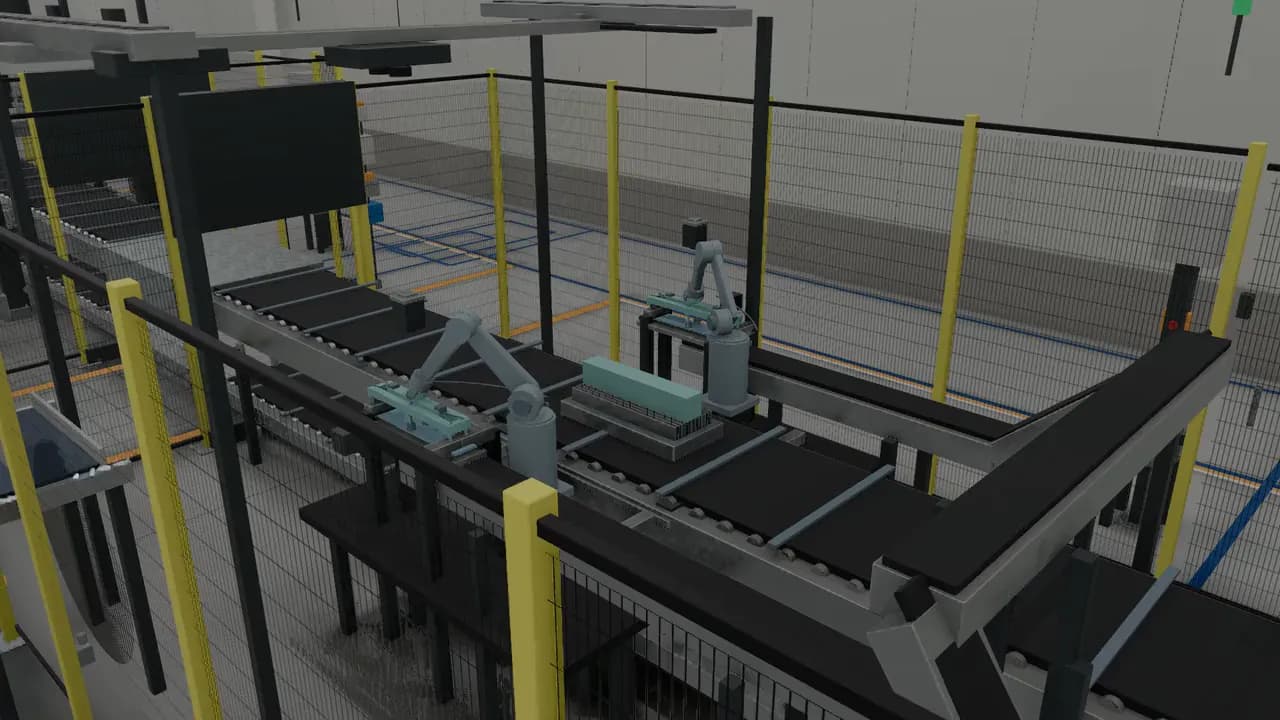
Coming Soon
A factory you can walk through, break, and fix, in a browser tab.
DigiFactory is a digital twin of a fictional EV battery module and pack plant. Every robot, vehicle and worker moves from a deterministic simulation, and every fault comes with a guided recovery you can watch, follow or be tested on.
62
stations from 29 engineered cell designs
39 / 19 / 94
vehicles / robot arms / workers simulated in 3D
50
guided recovery lessons backed by physical faults
20 days
simulated without a deadlock; one production day in about 8 seconds
7.5 MB
to load the whole plant in performance mode
160+ fps
whole plant in performance mode on a gaming laptop GPU
DigiFactory models a complete 180 m × 120 m battery plant: four module lines feeding a pack line, with storage, logistics and the people who run it. Each station is designed from published engineering sources, then simulated second by second: carriers queue, robots pick and place, stations starve, block and break down. The browser shows it live in 3D, so an engineer, operator or trainee can see what the plant is doing, why, and how to recover when it stops. The plant is fictional; its design rules, rates and procedures are modeled on public sources and labelled as modeled where they are estimates.
The whole hall in 3D, driven by the simulation: carrier robots with the pack at its current stage, articulated robot arms, tugger trains, forklifts and walking workers, at real time or up to 60×.
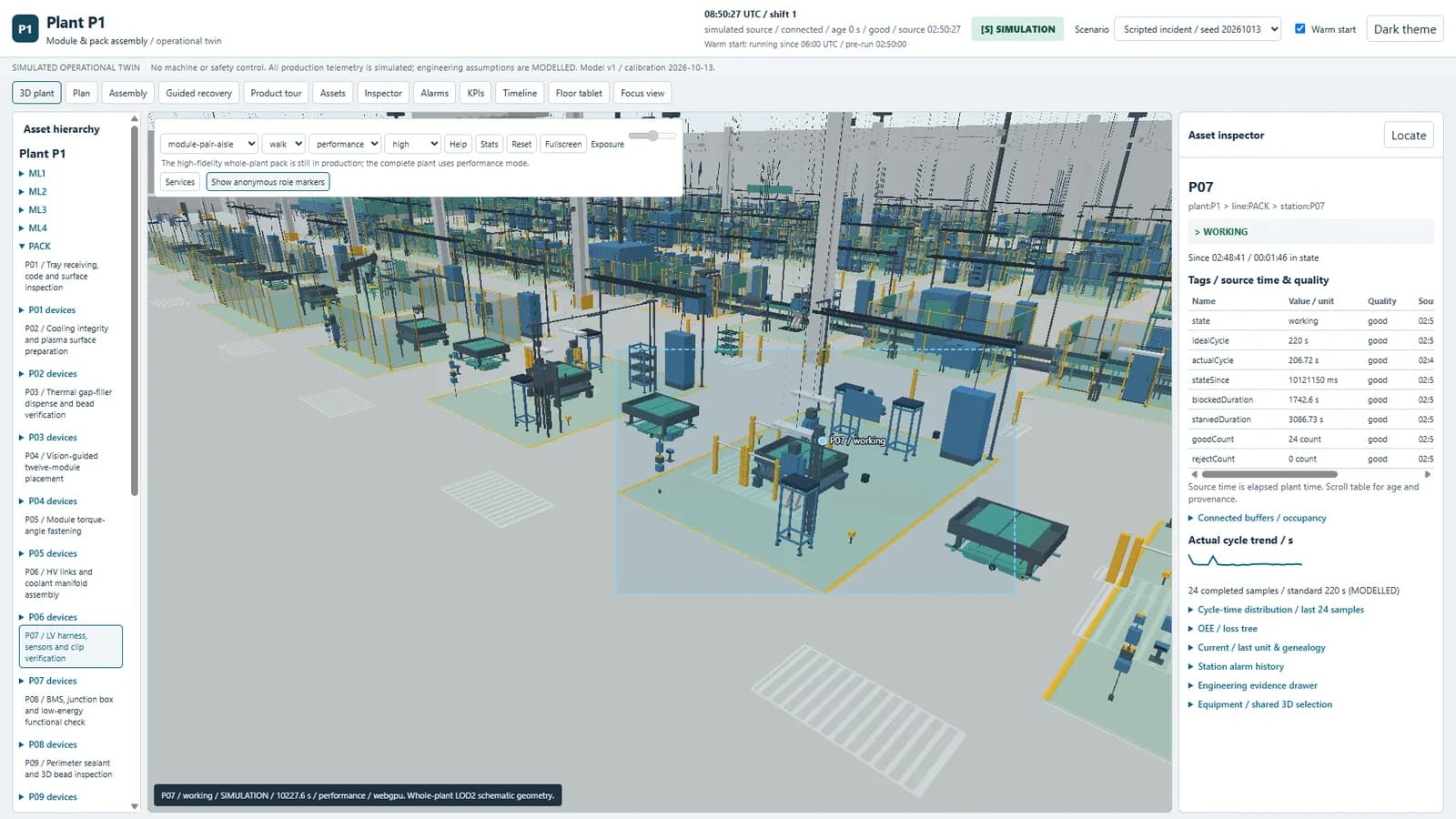
Select any station or machine in 3D, in the plan, in the asset tree or from an alarm, and see its live state, cycle times, counts and data quality, all pointing at the same thing.
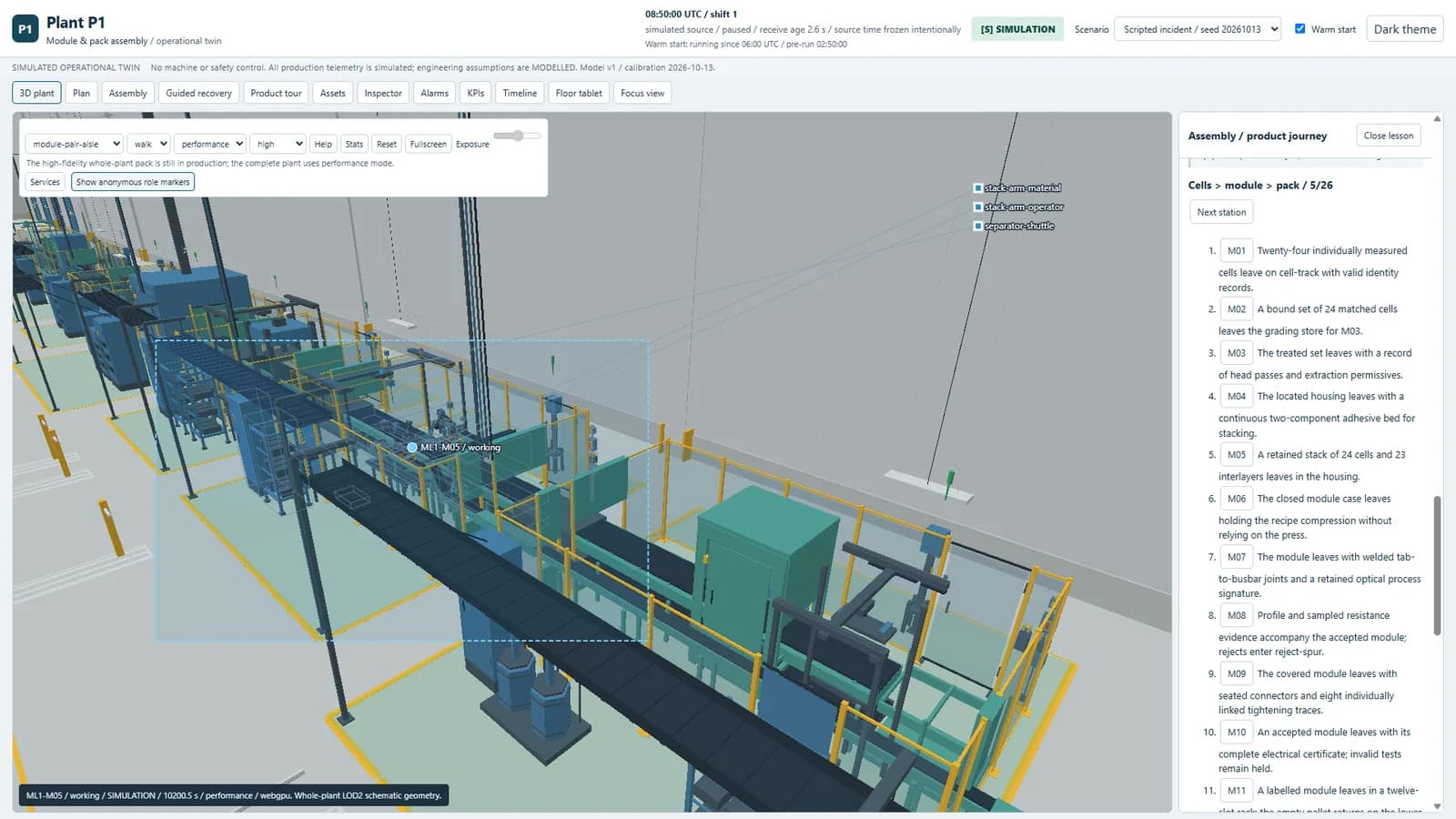
Follow the product from cells to modules to a finished pack, station by station, with each step’s process and timing.

When something breaks, the plant shows the physical cause and its knock-on effects. Each fault has a recovery lesson in three modes: Show me, Guide me, and Test me, which refuses unsafe or wrong actions. A lesson only passes when the simulated plant actually produces good parts again. Familiarization content, not certified training.
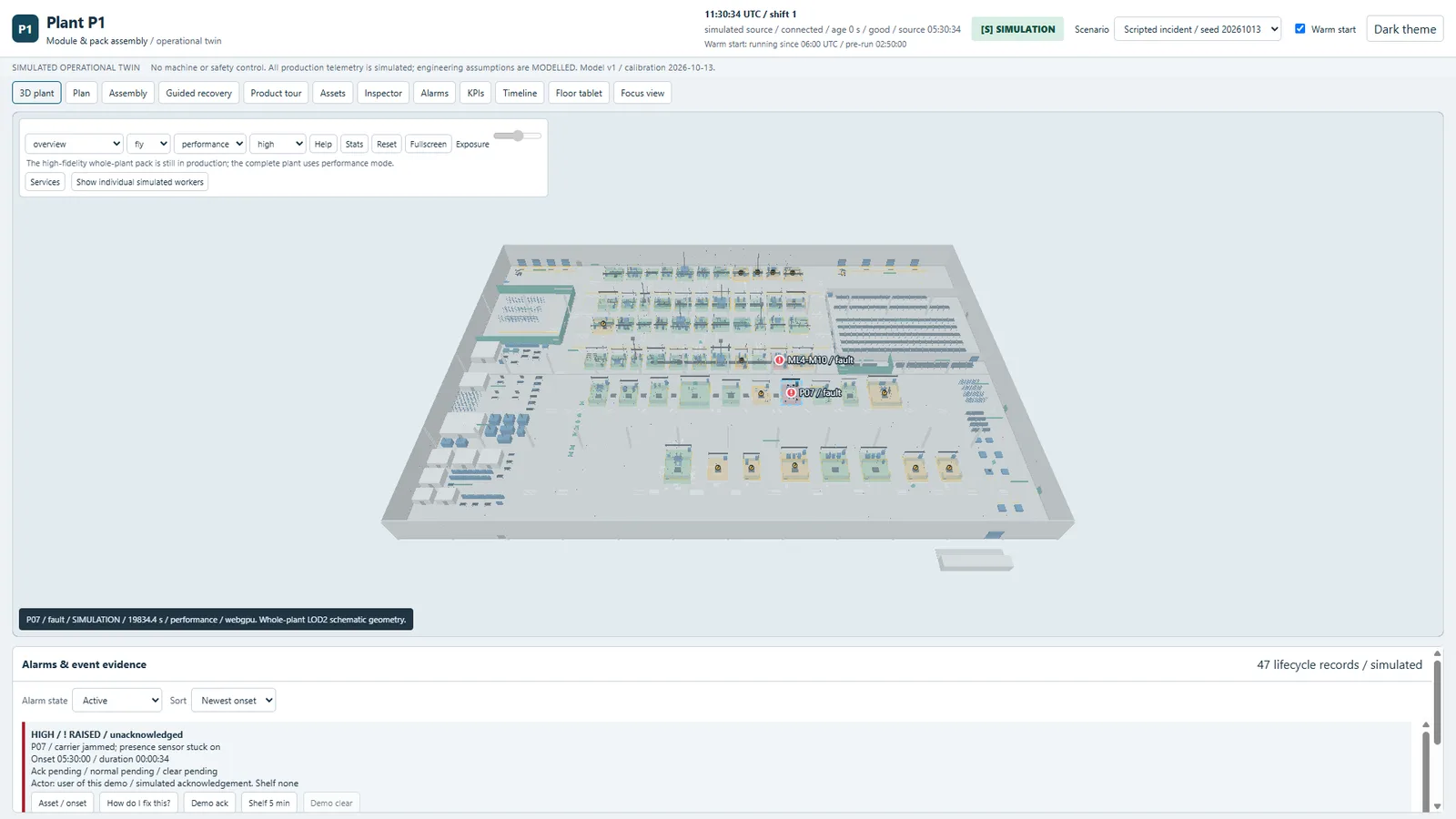
Scrub back to before a fault and watch it happen again, exactly. Fork the plant, change a decision, and compare the outcome side by side.

A Start here welcome, a guided tour of the plant, a Simple layout that hides advanced panels, and an on-screen camera pad, so a first-time visitor can find their way around.
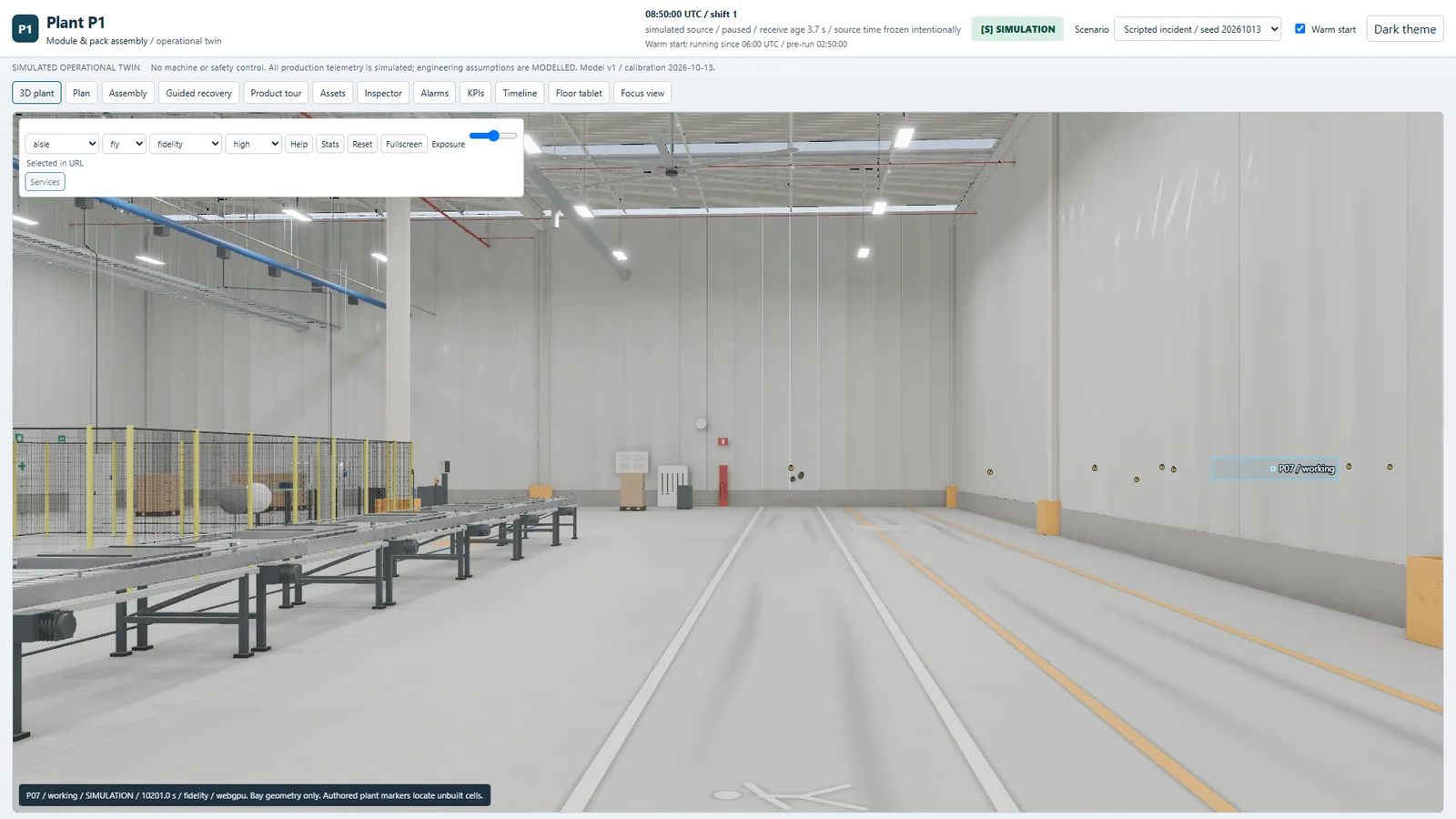
High fidelity for photoreal review with baked lighting; a lean performance mode with clean, simple geometry and colors, built to run on a factory-floor laptop and on WebGL2 where WebGPU is missing.
Four module lines feed a pack line, with storage, logistics and people across the hall.

DigiFactory thanks Rob Tuytel and Poly Haven for the CC0 factory materials. People and motion are derived from the Microsoft Rocketbox Avatar Library under the MIT License. Rendering includes Apache-2.0 work from the Android Open Source Project and Khronos Group, plus LTC data by Eric Heitz, Jonathan Dupuy, Stephen Hill, and David Neubelt.
The public experience is in development.