
Real flight physics
A rigid-body model with motor lag, rotor drag, ground effect, a battery that sags under load, gusty wind, shelter behind buildings and a parcel that swings on its line.
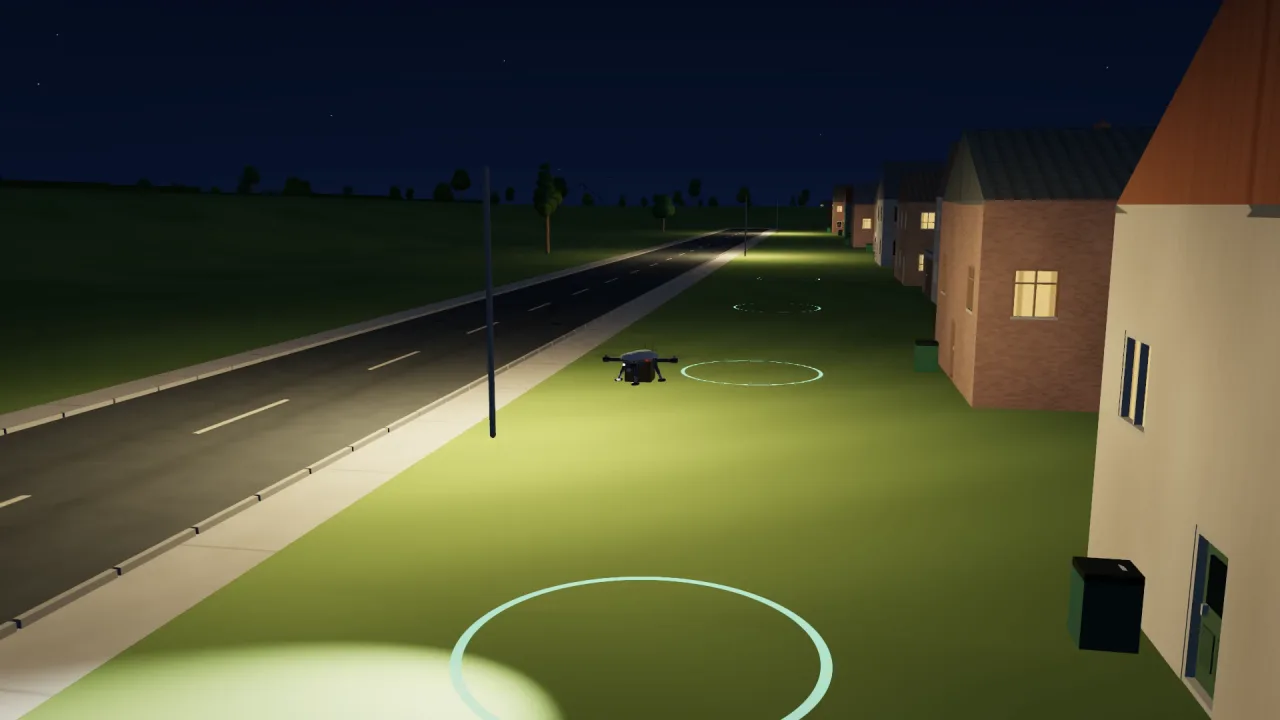
Coming Soon
Fly the delivery. Learn the job. Run the depot.
DroneSim is a drone operations simulator that runs in a web browser. You can hand-fly a parcel quadcopter through a neighborhood, take scored lessons, plan deliveries that are checked before launch, and watch a depot dispatch several aircraft at once.
Chrome or Edge with WebGPU recommended; phone touch sticks are Early Alpha.
400 Hz
fixed-step deterministic flight physics
820
passing automated tests at hand-over
16
scored lessons across two tracks
0.29 m
hover height error; 0.01 m drift with real autopilot firmware
6 aircraft
0 conflicts; 11.98 m closest approach in a fleet hour
1.1 MB
whole app before compression
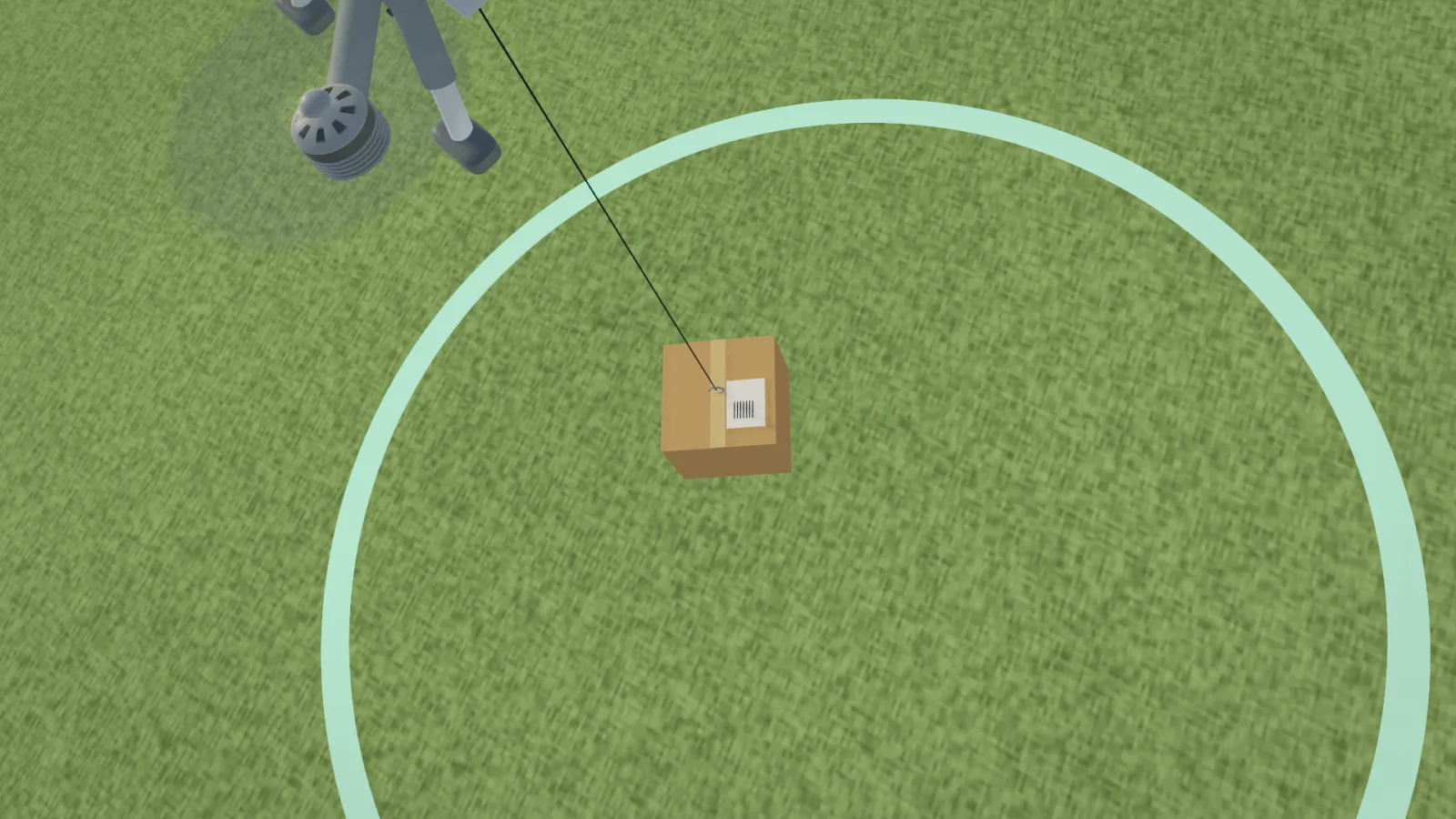
DroneSim models the whole job of a civil delivery drone, not just the flying. A quadcopter with a winch carries a parcel from a depot to a garden, lowers it on a line, releases it and comes home, through wind, near trees, wires and houses. The same simulation trains two kinds of people: a pilot flying by hand within sight, and a flight coordinator supervising automated deliveries and handling what goes wrong (a gust, a low battery, a lost link, a person standing on the delivery point).
A rigid-body model with motor lag, rotor drag, ground effect, a battery that sags under load, gusty wind, shelter behind buildings and a parcel that swings on its line.

The built-in autopilot flies on simulated sensors in ArduCopter's modes and missions. Real ArduCopter firmware can replace it and has flown the same physics.
It speaks MAVLink, so QGroundControl connects like a real aircraft: modes, parameters, missions and telemetry. ArduPilot and QGroundControl were used only to verify compatibility.

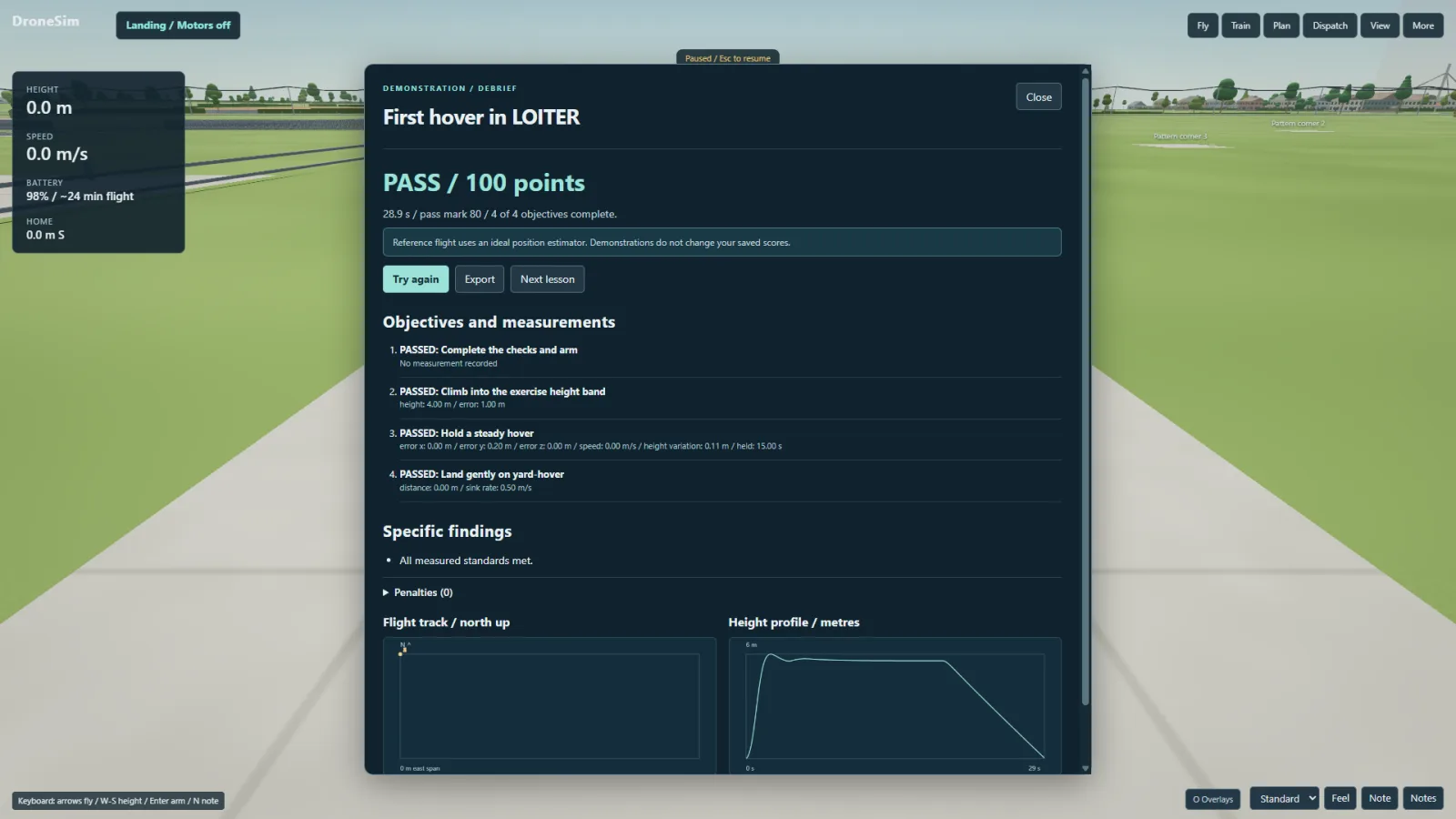
Lessons set a standard, measure every attempt live and end with a scored debrief that says exactly what to fix. A portfolio demonstration, not certified training equipment.
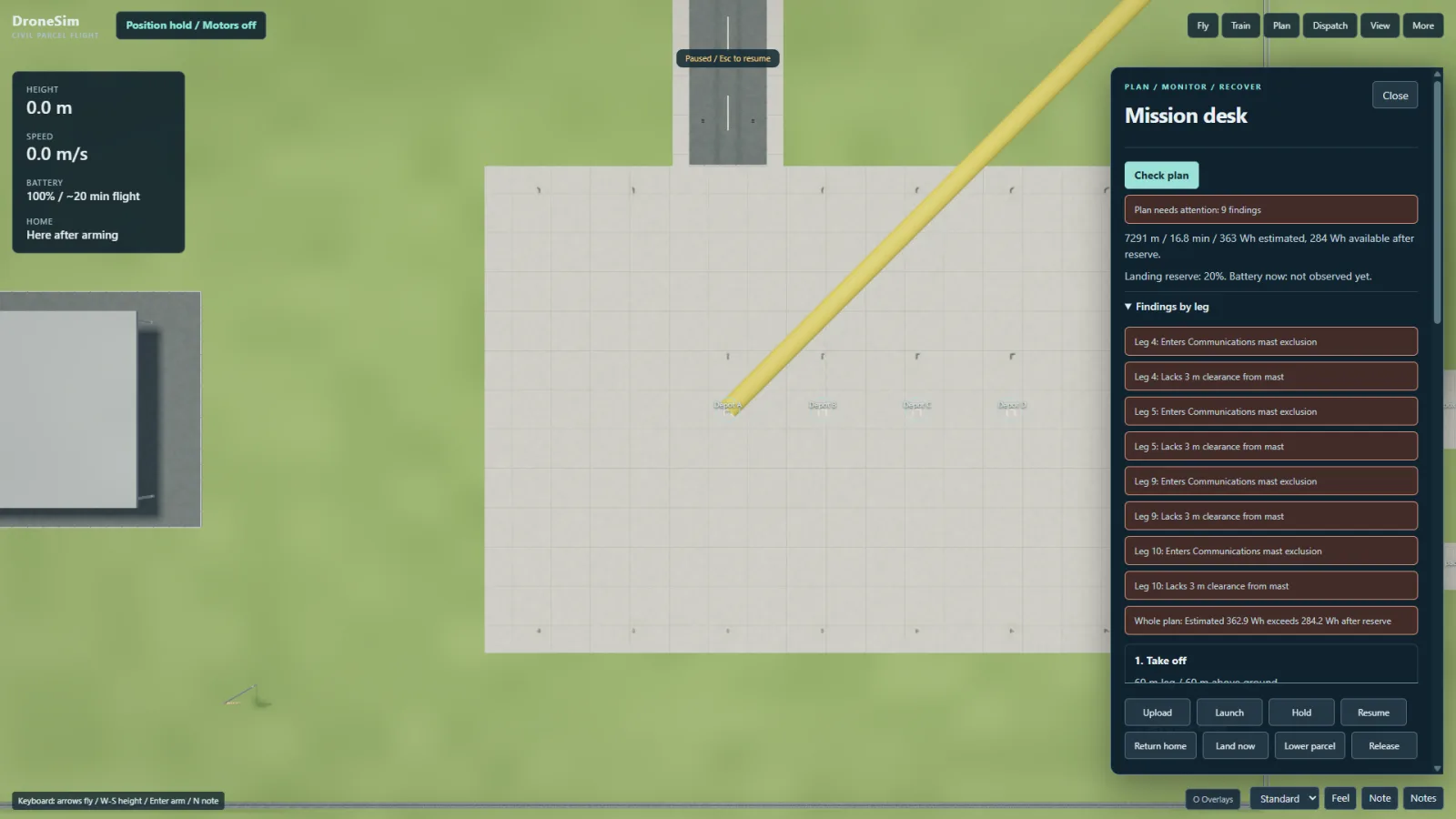
The mission desk tests a route against airspace, obstacles, clearance and battery reserve, and refuses an unsafe plan leg by leg.
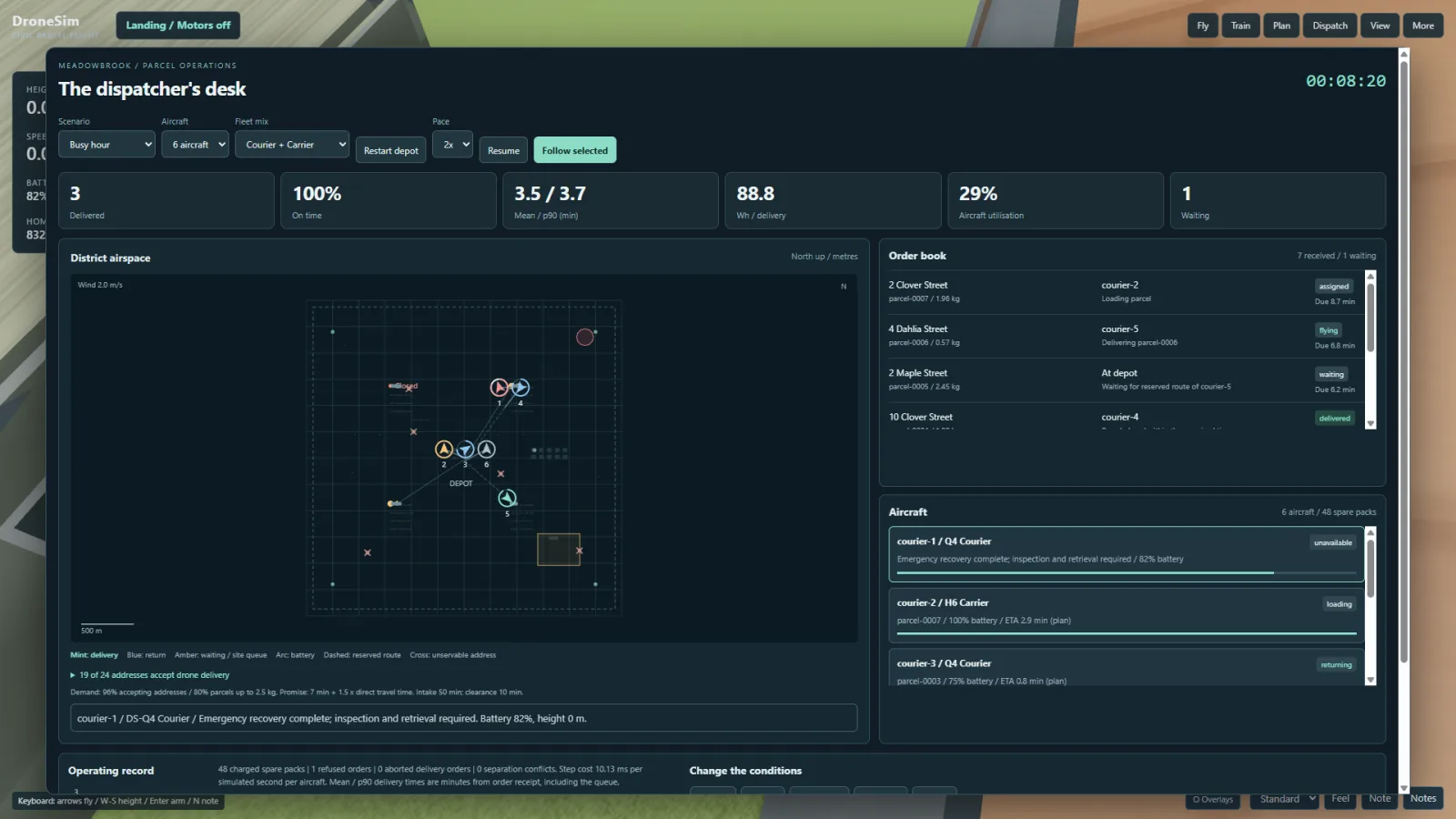
The dispatcher runs several aircraft against a stream of orders, keeps them apart by plan, re-plans when wind rises or a site closes, and reports on-time share and energy per delivery.
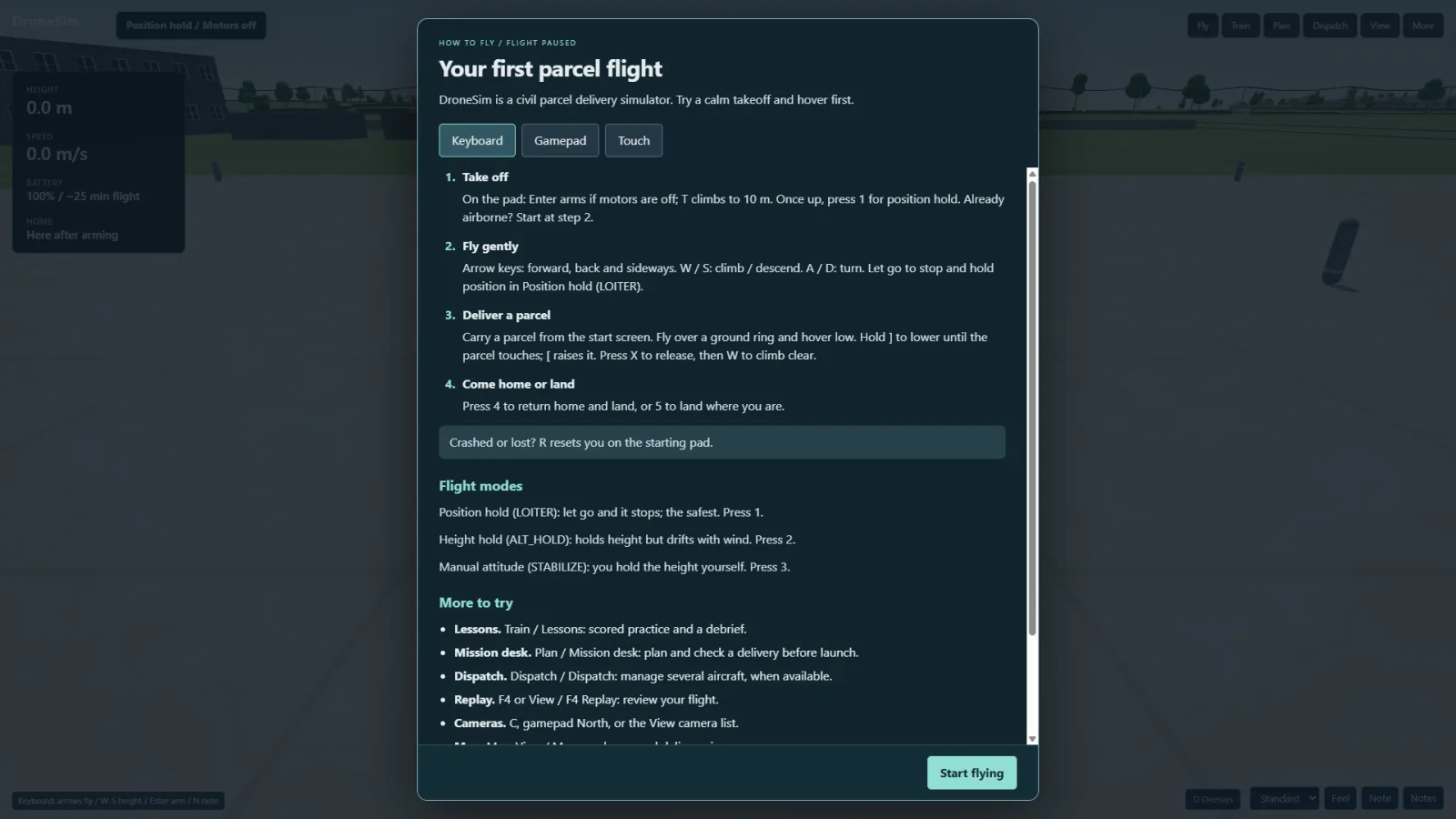
Keyboard and mouse, a gamepad or a radio transmitter, with a quick-start guide for first-time visitors. Touch sticks for phones are in Early Alpha, not yet tested on real phones.
The simulation is a plain library that also runs on a server, and the app embeds in another page; deliveries, sites and airspace go in and out as standard data.
Take the controls from the opening flight. The app pauses to show a quick-start guide for your device.
| Action | Input |
|---|---|
| Motors on | Enter |
| Climb to 10 m | T |
| Move | Arrow keys |
| Climb and descend | W and S |
| Turn | A and D |
| Come home | 4 |
| Land | 5 |
| Reset after a crash | R |
| Quick-start guide | H |
Let go and the aircraft holds position. Gamepad and touch controls are shown in the app's guide for the device in use.
A browser with WebGPU (current Chrome or Edge recommended on desktop). Phones and tablets get touch sticks (Early Alpha, not yet tested on real phones).
Keyboard flight starts with the first-flight controls. Let go and the aircraft holds position. Gamepad and touch controls are shown in the app's guide for the device in use.
The flight build is coming soon to your browser.
Chrome or Edge with WebGPU recommended; phone touch sticks are Early Alpha.